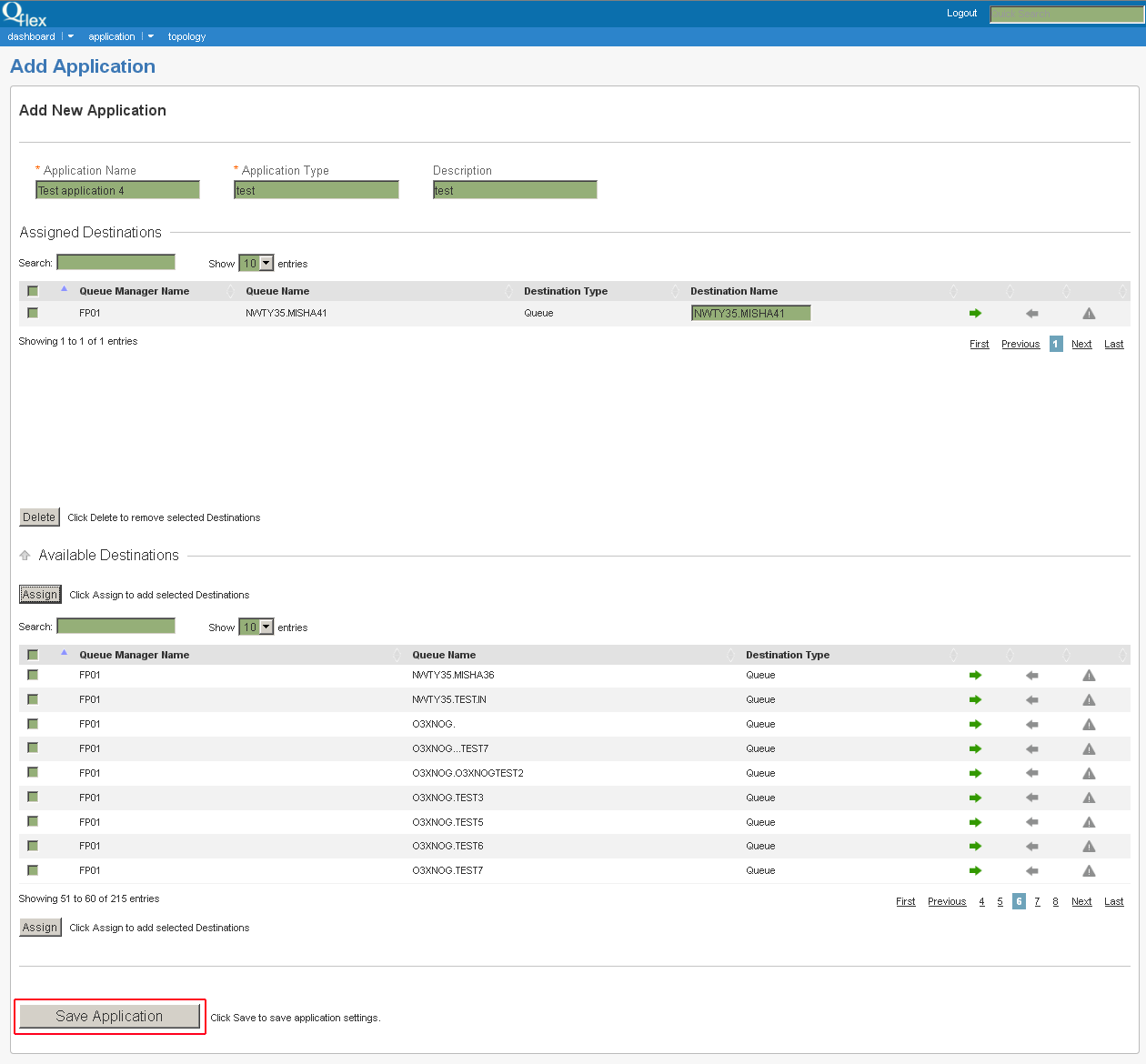
3.2.1 Adding New Application
Note
This page is available only for Administrators.
1. To add new application go to Application and choose from dropdown menu +Add Application:

2. In the Add New Application page set the following application settings:
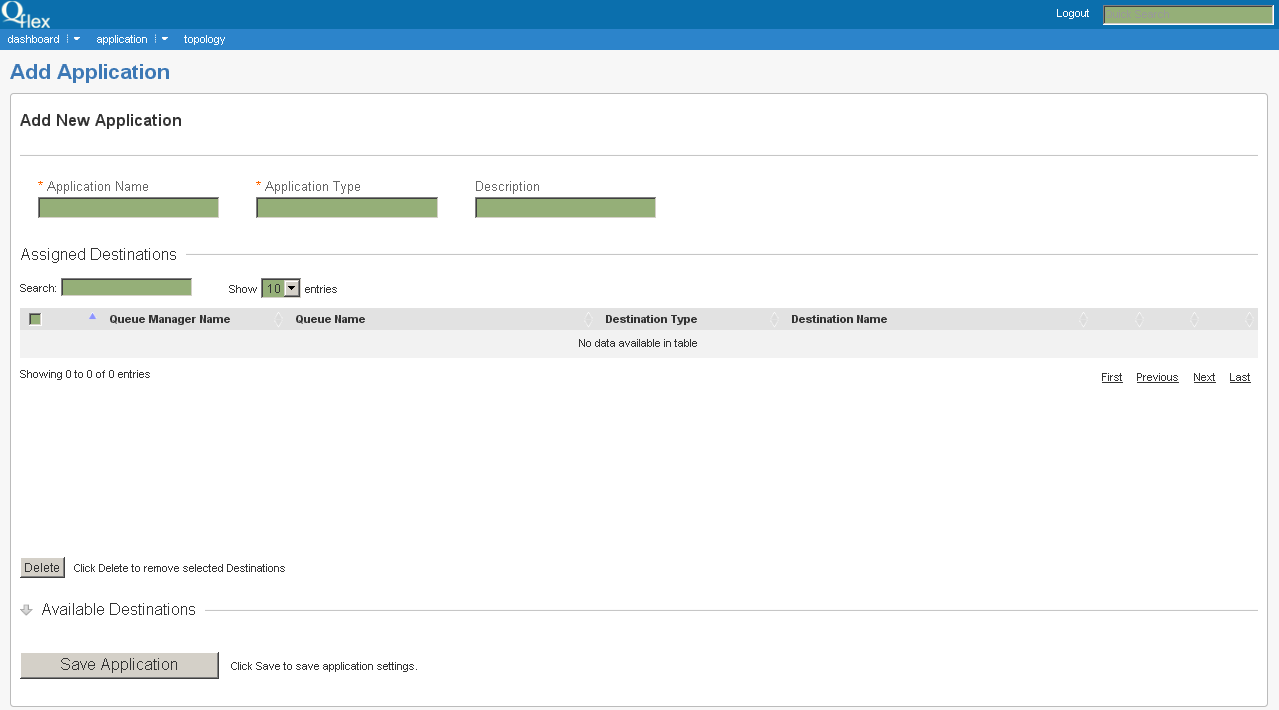
Application Name, Application Type - mandatory fields, Description (optional).
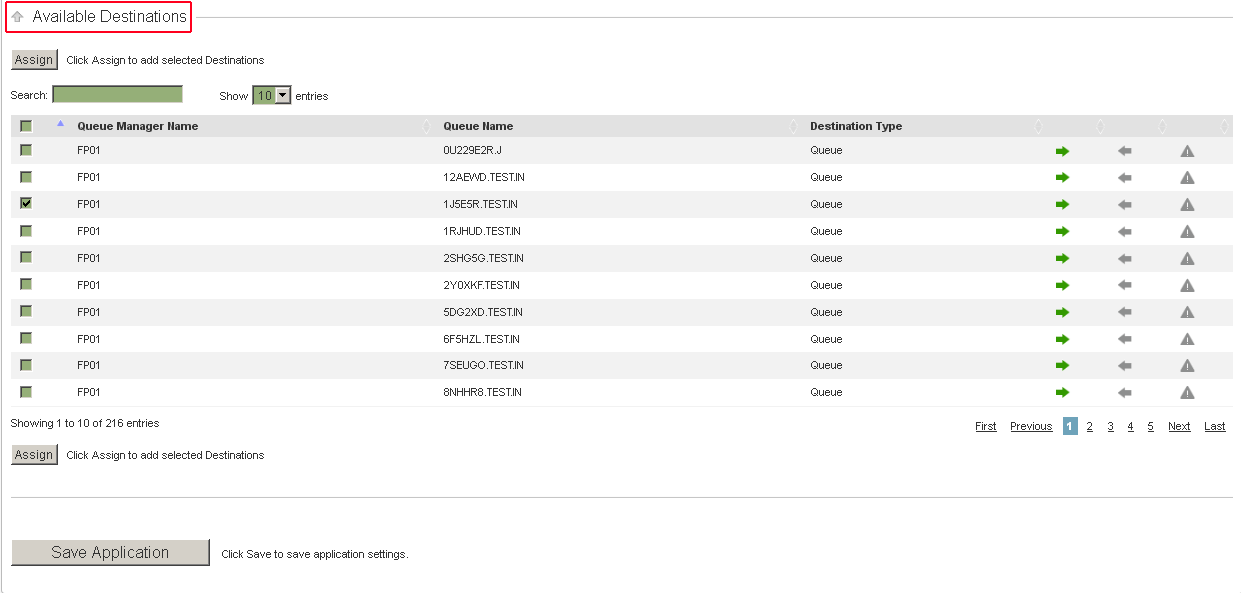
3. Click on Available Destinations to expand the table and add selected destinations first by checking them and then pressing Assign button in the top or bottom of the table:
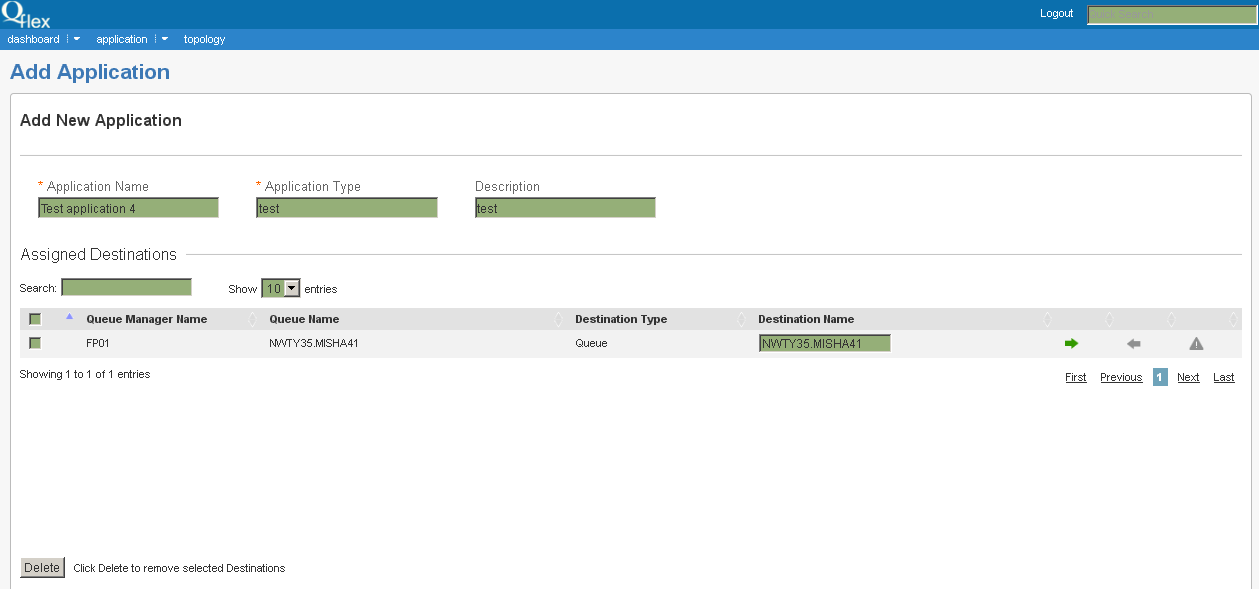
4. After you press Assign button in the Available Destinations section you will see the Queue Manager assigned to your new application in the Assigned Destinations table:
5. Press Save Application button to save new application settings: