
3.2.2 Editing Application
Note
This page is available only for Administrators.
1. To edit application settings go to Application and select from dropdown menu application you want to edit:

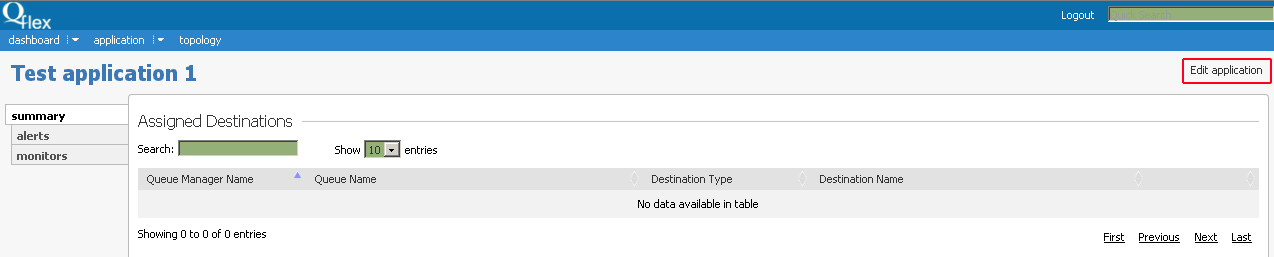
2. Then click on Edit application in the top right of the data summary page:
3. Here you can modify Application Name, Application Type or its Description:
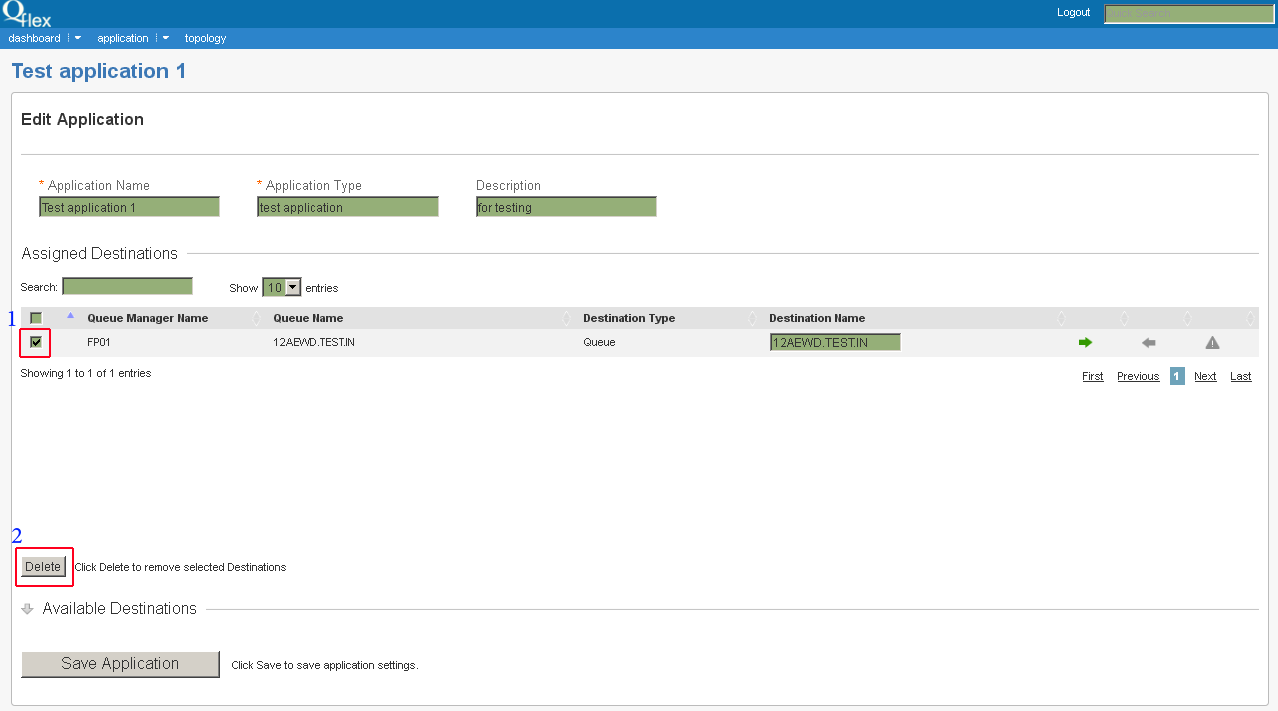
To detach a Queue Manager in Assigned Destination table check it (1) and then press Delete button (2).
Then press Save Application button to save new application settings.